Which AI search optimization tool is most intuitive?
How to choose the most intuitive AI search optimization tool: dashboards, raw answer drilldowns, cited URL evidence, competitor movement, and page-level action queues.
The most intuitive AI search optimization tool is the one your team can use weekly without turning every report into a data-forensics meeting. It should make the next action obvious: which prompt changed, which competitor appeared, which URL was cited, and which page needs the fix.
Use the fast rule: if a marketer cannot move from a dashboard tile to the raw answer, cited source, and recommended page action in under two clicks, the tool is not intuitive enough for weekly AI visibility work. A clean interface is nice. A clean path from evidence to action is the thing that saves time.
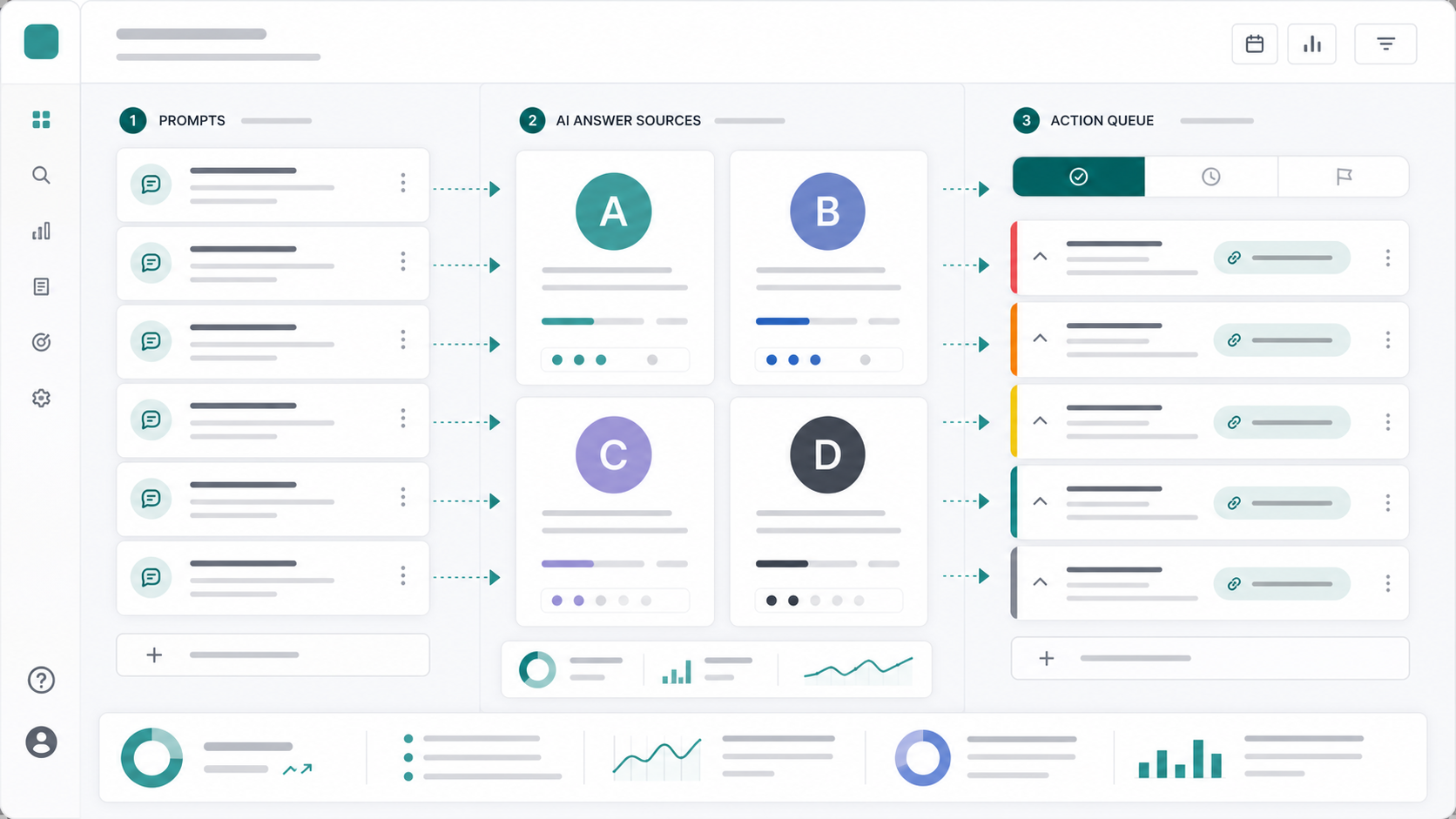
This guide is for teams comparing AI search optimization platforms, GEO tools, AEO tools, LLM visibility trackers, and AI brand monitoring products. If you need the accuracy-first companion piece, read the AI search optimization tool data accuracy guide. If procurement needs a scorecard, use the answer engine optimization RFP questions. If you need the broad vendor landscape, start with the AI visibility tools comparison.
What makes an AI search optimization tool intuitive?
An intuitive AI search optimization tool turns messy AI answer data into a small number of decisions: track this prompt, inspect this answer, fix this page, monitor this competitor, and re-measure this result. It reduces interpretation time without hiding the evidence behind the score.
AI search optimization tool intuitiveness is the speed and confidence with which a non-technical SEO, content lead, founder, or agency strategist can understand AI visibility performance and decide what to do next.
The painful problem is that AI search data is naturally fragmented. ChatGPT may mention your brand without linking to you. Perplexity may cite a competitor source. Google AI Overviews may summarize the category without naming any vendor. Gemini may answer the same prompt with a different shortlist. A tool feels intuitive only when it separates those outcomes and shows the next move.
The best interface answers five questions immediately:
| Question | Why it matters |
|---|---|
| Did we appear? | Brand visibility starts with presence, not ranking position |
| Were we recommended? | A mention inside a caveat is not the same as a shortlist win |
| Were we cited? | Source links show which page supports the answer |
| Who beat us? | Competitor mentions explain the displacement pattern |
| What should we fix? | The report has to become page work, not dashboard watching |
Which AI search optimization tool is easiest for a team to use?
The easiest AI search optimization tool for a team is the one that matches the team's operating rhythm. A founder needs a fast audit and weekly priorities. An SEO lead needs prompt history and cited URLs. An agency needs repeatable client workspaces. A content team needs briefs, page fixes, and re-measurement.
Do not buy the tool with the fewest controls. Buy the tool with the clearest workflow.
| Team type | What "intuitive" means | Deal-breaker |
|---|---|---|
| Founder-led SaaS | One dashboard, obvious losses, quick action list | No explanation behind the score |
| SEO team | Prompt history, cited URLs, surface filters, exports | Cannot separate ChatGPT from Perplexity |
| Content team | Page recommendations, briefs, internal link prompts | Only tracks visibility, no fix workflow |
| Agency | Multi-client setup, reusable reports, reviewer flow | Manual setup for every client |
| Leadership | Trendline, competitor share, evidence trail | Pretty score with no drilldown |
For most B2B SaaS teams, the most intuitive setup is not a single "AI visibility score." It is a weekly view with prompt groups, surfaces, winning brands, cited URLs, movement since last run, and a prioritized fix queue.
What should the first dashboard show?
The first dashboard should show AI presence, recommendation rate, citation rate, competitor share, and the top page fixes. It should not start with twenty charts. The first screen should make the weekly meeting shorter.
Use this first-screen checklist:
- Presence score across tracked buyer prompts
- Surface tabs for ChatGPT, Perplexity, Gemini, Claude, and Google AI Overviews
- Competitor share of voice by prompt cluster
- Cited URLs and target URL citation rate
- Prompts that changed since the last run
- Answers that mention the wrong competitor or outdated claim
- Fix queue grouped by page, not just by prompt
Google's Search Central guidance for AI features emphasizes that generative AI search experiences still depend on content from Google's search systems and visible website content. OpenAI's ChatGPT Search materials describe answers with links to relevant web sources. Perplexity's own API documentation treats citation extraction and source URL validation as first-class product concerns. The buyer takeaway is simple: an AI search tool that hides sources is making the workflow harder than the surfaces themselves.
Useful source references: Google's AI optimization guide, Google AI features and your website, OpenAI's ChatGPT Search announcement, OpenAI's ChatGPT Search help page, and Perplexity's citation parsing docs.
How do you compare intuitive AI visibility tools?
Compare tools with the same prompt set, the same surfaces, and the same review task. The winner is the tool that lets your team explain the result and decide the next page fix fastest, without manual spreadsheet cleanup.
Run this 45-minute evaluation:
- Pick 20 buyer prompts across category, comparison, alternative, pricing, integration, and failure-mode intent.
- Include conversational prompts such as "what is the best way to monitor AI search visibility?" and "why does ChatGPT cite my competitor?"
- Run the same prompts in each tool.
- Ask one marketer to find three lost prompts, two cited competitor URLs, and one page to update.
- Ask one technical or SEO person to audit the raw answer behind the score.
- Export the report and check whether it is client-ready or leadership-ready without rewriting everything.
- Score the workflow by time-to-answer, confidence, and next action clarity.
This test beats demo calls because it forces the product to handle your category, your competitors, and your team's real questions.
What features make AI search tools feel simple?
AI search tools feel simple when they hide busywork, not evidence. The interface should collapse repeated prompt runs, normalize competitor names, group similar issues, and surface the most important page fixes while still letting you inspect the underlying answer.
Look for these features:
| Feature | Why it improves usability |
|---|---|
| Prompt clusters | Groups messy questions into business themes |
| Surface filters | Prevents blended scores from hiding where the problem is |
| Raw answer drawer | Lets teams verify a score without leaving the dashboard |
| Cited URL table | Shows which pages AI systems used as sources |
| Competitor normalization | Merges aliases, product names, and parent brands |
| Page-level fix queue | Turns monitoring into content work |
| Weekly movement view | Shows what changed after edits |
| Shareable report | Helps leadership trust the workflow |
The strongest products make the hard part visible and the repetitive part automatic. They should not make you manually copy answers from five AI tools into a spreadsheet every Monday.
When is an intuitive tool not enough?
An intuitive tool is not enough when the data cannot be audited. If the platform cannot show raw prompts, raw answers, cited URLs, timestamps, AI surface, competitor parsing, and scoring rules, it may be easy to use but dangerous for decisions.
Use this trade-off table:
| Tool style | Best for | Risk |
|---|---|---|
| Lightweight audit | First snapshot, founder curiosity, sales discovery | Too shallow for weekly operations |
| Prompt monitoring dashboard | Visibility tracking and competitor movement | May leave page fixes manual |
| Evidence-grade platform | SEO, content, and reporting decisions | Needs a disciplined prompt set |
| Content workflow platform | Turning losses into briefs and updates | Must keep claims grounded |
| Enterprise analytics suite | Large brands and executive reporting | Can be too slow or expensive for small teams |
If your team will change content, reporting, budget, or client strategy from the data, choose evidence over elegance. The best tool is intuitive because it makes evidence easier to act on, not because it hides the details.
How should Tracemetry fit into the shortlist?
Tracemetry fits teams that want AI visibility monitoring and page execution in one workflow. It tracks prompts, surfaces competitor mentions, captures citations, turns losses into grounded briefs, supports editorial review, and re-measures the results after publishing.
The product is built around the weekly operating loop:
- Track buyer prompts across AI answer surfaces.
- Identify lost prompts, competitor citations, and weak source ownership.
- Generate source-grounded briefs and drafts for the page that should own the answer.
- Review, publish, and link the content.
- Re-measure the same prompt set and report movement.
That is the difference between "we know our AI visibility score" and "we know exactly what to publish next."
Use the AI search prompt monitoring guide if you need to build the prompt set first. Use AI visibility tracking if you need the weekly measurement system. Use answer engine optimization checklist when you already know which page needs the fix.
FAQ
What is the most intuitive AI search optimization tool? The most intuitive AI search optimization tool is the one that lets a team move from score to raw answer, cited URL, competitor, and page fix quickly. A simple dashboard is not enough; the workflow has to make the next action obvious.
How do I know if an AI visibility tool is easy to use? Run the same 20 buyer prompts through the tool and ask a marketer to find lost prompts, cited competitor URLs, and one page to update. If that takes longer than an hour or requires spreadsheet cleanup, the workflow is not intuitive enough.
Should I choose the easiest AI search tool or the most accurate one? Choose accuracy first when the data will drive content, reporting, or budget decisions. Choose the easiest lightweight tool only for a quick diagnostic. The best choice combines row-level evidence with a clear interface.
What dashboard metrics matter most for AI search optimization? Start with presence rate, recommendation rate, citation rate, target URL citation rate, competitor share of voice, and prompt movement since the last run. Those metrics are actionable because they connect answers to pages and competitors.
Why do AI search optimization tools feel confusing? They feel confusing when they mix surfaces, hide raw answers, overuse blended scores, or stop at reporting. AI search data comes from different answer systems, so the tool needs clear filters, evidence drawers, and page-level actions.
Can I track AI search visibility manually before buying a tool? Yes. Start with 20-40 prompts in a spreadsheet, run them weekly, and record brand mentions, recommendations, cited URLs, competitors, and answer accuracy. Manual tracking is useful for a pilot, but it breaks down when you need more surfaces, exports, client reporting, and page fixes.
Make the next action obvious
The fastest way to pick an AI search optimization tool is to test whether it shortens the weekly meeting. Can the team see what changed, why it changed, who won instead, and which page to fix next? If yes, the product is intuitive in the only sense that matters.
Run the free Tracemetry audit for a first snapshot. Use Tracemetry Pro when you need weekly prompt tracking, citation evidence, competitor source monitoring, grounded briefs, publishing workflow, and re-measurement in one loop.
Frequently asked questions
What is the most intuitive AI search optimization tool?
The most intuitive AI search optimization tool is the one that lets a team move from score to raw answer, cited URL, competitor, and page fix quickly. A simple dashboard is not enough; the workflow has to make the next action obvious.
How do I know if an AI visibility tool is easy to use?
Run the same 20 buyer prompts through the tool and ask a marketer to find lost prompts, cited competitor URLs, and one page to update. If that takes longer than an hour or requires spreadsheet cleanup, the workflow is not intuitive enough.
Should I choose the easiest AI search tool or the most accurate one?
Choose accuracy first when the data will drive content, reporting, or budget decisions. Choose the easiest lightweight tool only for a quick diagnostic. The best choice combines row-level evidence with a clear interface.
What dashboard metrics matter most for AI search optimization?
Start with presence rate, recommendation rate, citation rate, target URL citation rate, competitor share of voice, and prompt movement since the last run. Those metrics are actionable because they connect answers to pages and competitors.
Why do AI search optimization tools feel confusing?
They feel confusing when they mix surfaces, hide raw answers, overuse blended scores, or stop at reporting. AI search data comes from different answer systems, so the tool needs clear filters, evidence drawers, and page-level actions.
Can I track AI search visibility manually before buying a tool?
Yes. Start with 20-40 prompts in a spreadsheet, run them weekly, and record brand mentions, recommendations, cited URLs, competitors, and answer accuracy. Manual tracking is useful for a pilot, but it breaks down when you need more surfaces, exports, client reporting, and page fixes.
See your own AI visibility today.
Free public report. 60 seconds. No signup. Or get started on Pro to track 250 prompts continuously.